Atlas Updates: Cleaning Up Customizations
Customizations Going Away As part of our cleanup, the majority of our past customizations are being deprecated entirely. These mostly fell into either minor style tweaks or functionality that has become core to the product (or will be in Aurora). Among these: Custom Banners - allows users to upload a personalized banner image to their profile Additional Search Bars - duplicates the top right search bar above the content in some nodes Reply Button - indicates to which user you’re replying in a Forum-style discussion Custom Menu Dropdowns - adds multiple levels of menu dropdowns via a single hover action Home Page Notifications - duplicates and adds text to notifications from the top right nav bar Enhanced Profiles - shows more info about people you added as Friends in their Atlas profile Profile Bookmarks - allows you to save pages that appear as bookmarks in your profile Style Tweaks - changes layout / colors for top level nav bar icons, discussions, private messaging, etc. Various Other Minor Functionality - things you probably won’t notice went missing, unless you’re playing “Where’s Waldo” with some of your favorite Atlas tweaks from days of yore Customizations We’d Like to Bring Back In addition, there were a handful of strong candidates for being rebuilt once we’ve upgraded Atlas to Aurora. These largely involve functionality with a strong business case. Among these: Inline Labels - shows labels in a node at the top of the page before users scroll down Accepted Solutions - denotes forum discussions in a list that already have an Accepted Solution Product Outage Banners - shows the status of Khoros products, including whether there is an outage Kudos Awards Guide - guides people through the process of creating a Kudos Award Request Access Page - provides guidance about how to access an area by contacting Community Help Login Flow - a custom page that guides users through the Atlas login process (based on SSO status) We’ll be making these changes in the coming weeks and months, so please keep an eye out! In the meantime, feel free to share your feedback below. Special thanks to AbhishekGu, JakeRo, KellySt, and the Aurora Product Team for their advice throughout this process. 4.9KViewsSign in to react to this post
 4Comments
Thought Leadership + Outcome Keywords: A New CX Initiative
A common request from Khoros Customers is having more insightful content to drive future strategies in an ever-changing industry. We've heard loud and clear in our recent NPS surveys that you're interested in more thought leadership. The Khoros Customer Engagement team has been hard at work developing content with a fresh outlook on modern solutions and paths to follow as you continue your journey. With these updates, we aim to help you transform theory into practice using the Khoros platform. We will continue to strive to deliver you the insights you need to succeed. Thought Leadership Blogs and Label Outcome Keyword Links Additional Label Tips First, I’d like to highlight our recent content development and distribution initiative. A tool can be used to the extent of the wielder's knowledge. The Khoros platform is no different. The powerful capabilities Khoros offers, paired with the rapid and unexpected shifts in the industry, can feel like going on a fool’s errand trying to stay on top of everything. This is why we launched our unique human-focused thought leadership content to cut through the clutter of vague social tips and misguided strategies. We’re here to bring you the who, what, when, where, and most importantly, the why with all things customer experience and Khoros. We want to ensure Atlas offers our members comprehensive thought leadership and unique content with your future strategy in mind. Stay updated when new content is published by subscribing to the new Thought Leadership Label in the Khoros Insights Blog. You’ll also notice new Outcome Keywords below the labels. Here's how you use these. Labels house the type of content, or in other words - if it’s a thought leadership article, a product update, best practices, or webinars. The Outcome Keywords are used to give you a sneak peek at what that specific content will highlight. For example, an article about how to use TikTok more effectively would fall under the thought leadership label, but its keyword - engagement rate - would highlight the article's focus. You could then explore all other Atlas content that focuses on engagement rate whether it’s an article, forum, webinar, or podcast. In partnership with the Atlas and Enablement teams, we’ve defined all Best Practices and Thought Leadership blogs related to actionable outcomes and included Keywords to help pull together similar content. Each dropdown below contains some outcome keywords that link to similarly tagged content for each Khoros solution. We hope this helps the discoverability of helpful content! Outcome Keywords Marketing Care Community CXI Active platform users Agent Handle Time Accepted Answers AHT reduction Approved and rejected messages Agent Performance Answers Found CSAT Approved and rejected posts Conversations Handled Community Revenue Customer Friction Points CSAT Cost Per Contact CommCSAT Deflection Rate Decreased publishing time CSAT Deflection Rate Increase Efficiency Engagement Growth Deflection rate Ideas submitted Increased Revenue Followers Engagement Rate Minutes to First Reply NPS Increased Revenue Incoming Conversations Engaged CommNPS Reducing Repeat Contacts NPS NPS Posts Posts published natively Resolution rate Resolution Rate Reach SLA Met Returning Users Sentiment TAR Revenue per Member Time saved to pull reports Sentiment SEO Traffic Solution Views Visitors Registering Visits Atlas is more than a website. It’s a living, breathing community full of webinars, forums, articles, podcasts, and thousands of members looking to advance their knowledge. Due to Atlas's impressive size, we recommend utilizing labels listed beneath blog titles to customize your automated Atlas knowledge flow and explore the content most relevant to you and your organization’s goals. Our community labels have been set up to describe the type of information you can expect from blogs, and clicking on them leads to other similar blogs. We recommend subscribing to Podcast, Industry Trends, and Highlights in the Khoros Insights area, as well as Best Practices and Product updates for your Solutions. Marketing Blog Product Updates Best Practices Care Blog Product Updates Best Practices Communities Blog Product Updates Best Practices CXI Blog Best Practices How about letting us do the work finding resources for you? Sign up for Customer Engagement emails to receive blogs and webinars curated for you directly to your email!3.9KViewsSign in to react to this post0CommentsThanks for Helping Us Reach 100k Members!
If you’ve kept an eye on the front page of Atlas recently, you’ll notice that we passed the 100k all-time member mark this month. To our passionate community members: thanks for joining us on this journey! Your contributions got us to this point - from your thoughtful posts and helpful comments, to your kind kudos and brilliant Accepted Solutions, to your willingness to help us build one of the best communities for you and your fellow pros. When you see a colleague struggling with the same challenges you’ve been through, you offer help, advice, and insights. That simple, consistent willingness to help is what makes this community special among others, and it’s what (I believe) will help us get to the 200k member mark. In reflecting on what you’ve achieved together, we also want to ask for your favorite moments from your experience with Atlas and Khoros over the years. Just to spark some ideas: What’s your favorite thing about the Atlas community? Or your favorite memory? What value have Khoros and the Atlas community brought to your day-to-day work? What are the most valuable lessons you’ve learned from fellow CX pros here on Atlas? When did you join, and what has the community helped you achieve since then? What makes the Atlas community unique for you among other CX communities? With the recent UX revamp and Titans program activities, plus roadmap updates, the future feels bright for Atlas. Here’s to the road ahead, and thanks again for being part of our community!4KViewsSign in to react to this post1CommentUpcoming Changes to Atlas Ranks
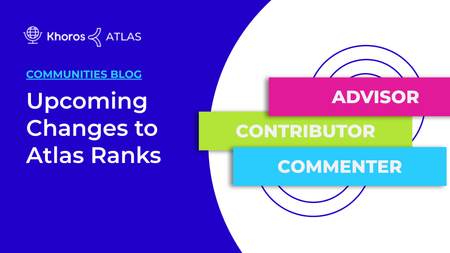
Greetings, fellow Atlas members! Today I’d like to touch on some changes we’re making to Atlas ranks in the near future. When designed well, a community ranking system makes each member's contributor status more visible, giving recognition to people who create value for the community, and thus encouraging further positive behavior. It’s been a while since we updated Atlas’ community structure, so it seemed like a good time to bring community ranks into alignment with our own best practices. We’ll walk you through how we went about making these updates, in case they might help you as you think through making similar changes in your own community. Ranks and Badges Currently, rank progression in Atlas includes specialization (e.g. Commentator, Contributor, Advisor). While it’s good to recognize people for helping the community in various ways (and in some cases this is preferable to do via ranks), this also makes it difficult to include all actions a user takes into account in their final community ranking. In recognition of the above, we’ll be adjusting the rank structure to be purely vertical, and include all possible contributions when calculating a user’s rank compared to other users. Additionally, it’s important that community activities get a level of recognition proportional to the effort that goes into them, so we’ll be adjusting activity weighting slightly. For example, creating blogs will give more points vs. creating a regular forum post, and earning an approved solution in a thread will earn more points versus simply replying. Meanwhile, badges will continue to act as a way for users to have their greatest contributions recognized. This creates a soft form of specialization, with the highest contribution in a given area appearing first whenever someone visits a user’s profile. Landing Pages Community veterans may be more familiar with how our ranking system works - yet for relative newcomers, it can be hard to know the difference between one rank and another. Plus, even for veterans, it’s not always easy to remember which ranks are higher than others, why they matter, and more simply, "what does that title mean next to someone's name in the community?" A landing page solves these problems by keeping everyone - including long-standing members - on the same page. This helps them understand how different contributions help the community, while adding prestige to ranks that require the greatest commitment and effort. We’ll be building out a page that’s not so different from the Titans one you see here, which explains ranks in an easy to understand way. It will also better highlight the value of more substantial, high-effort community contributions. Naming Ranks Finally, there’s the question of how we come up with the naming of ranks. We had a few previous naming schemes for our Atlas ranks. Initially, this included names like “Cartographer” and “Denizen” to create the feeling of exploring the platform. With the creation of the Titans program, we updated to Khoros’ default naming standard, which is why you’ll see names like “Frequent Commentator” alongside someone’s Titans rank. We took this opportunity to rethink how users might like to be recognized. After all, this is a community for some of the brightest customer experience pros! For example, what other titles do members aspire to in their professions? Could some of those inform the kinds of recognition and titles they might see and be able to respect in the community? This line of thinking led to a shift away from a naming scheme involving exploring. Instead, we focused on titles that speak to the helpful nature of our members and their professional aspirations, among other concepts. For example, passive ranks will include Learner, Observer, and Visitor, mid-level ranks add Advisor, Expert, and Mentor to the mix, and top-level ranks include Boss, Executive, and Champion. Closing Thoughts Those of you who have been part of Khoros’ community for a while may be wondering, “how will this affect my existing rank and badges?” These changes will be rolling out within the next few weeks, and existing badges will be preserved. Ranks will be updated to reflect the new naming scheme. While your rank should be similar in level under the new structure to where it was before, please bear in mind that new ranks are being added with higher contribution requirements. Along with these changes, we’re also eager to hear your feedback! Should other contributions in Atlas be recognized - and if so, which ones? What do you think of the new naming scheme? Let us know in the comments below, and thanks for reading along!3.9KViewsSign in to react to this post0CommentsAtlas Navigation Bar Update
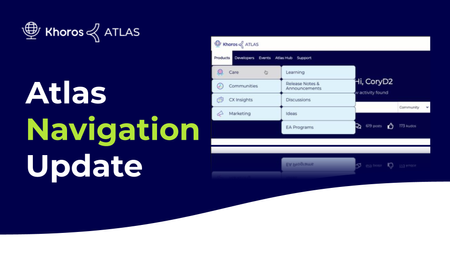
Today, we’ll be rolling out improvements to the Atlas nav bar, including a more intuitive user interface, along with a simplified menu structure that allows you to more easily navigate the site. We’ll dive into the details below, and touch on where to find things once the changes go live (as some parts of Atlas will move around a bit). Take a look below for details and let us know what you think in the comments! Improved User Interface One of the main goals of the redesign was to help users reach their desired location in the community more quickly. To begin with, we drew inspiration from looking at how both Khoros and other sites handle their navigation menus. With this visual update, we chose elements that tie in well with the existing site design brand language - like rounded edges on each menu item and animated dropdowns on submenus. We also added visual cues like recolored backgrounds when hovering over text, and a more accessible navy-on-white color palette that’s a bit easier to read versus the current submenus. We’ll continue making additional accessibility improvements going forward. Improved Menu Structure As our product line has grown over time, it’s become more challenging to avoid visual clutter with navigation. With this update, we wanted to solve that and make it easier for users to understand the site structure. As such, we renamed the major parts of the site to make them more intuitive - like Products instead of Platform and Developers in place of Dev Network. We’ve also given each product its own section in the Products menu. Next, we took the opportunity to add a few submenus. Support now has more menu options at the secondary level, including Support Information and a link you can use to reach out to our support team. You’ll also notice that all customer hubs for different companies are located under the Atlas Hub submenu now. Platform changes are often a team effort, and we’d like to thank everyone who helped with this project: Lead Designer: JhilikR Lead Developer: ShikherM Developer support: AbhishekGu , JakeRo , AndyK Launch Team: AndrisG , TedV , @AndyK Design review/comms team: LisaI, BlakeH, AndyK, ShannonB, CoryD3.3KViewsSign in to react to this post0CommentsMaia Q1 review
Hi there! Travis with the Maia team here and I wanted to take a moment to give an update on the cool things we’ve been doing with Maia. If you’re not familiar with who Maia is, they are Khoros’ virtual assistant. A bot that is designed to get you the help you need, when and where you need it within the Khoros ecosystem. I bet you’re curious about what we’ve been working on, even if you’re not, you should be. There are so many cool things you can do with a chatbot, and we try to push the limits with what you could do with a minimal team. Last month was no exception, Introducing the Support Case Submission experience! Now you can submit support cases directly through Maia, all you need to do is open a chat with Maia by clicking on the icon in the lower right-hand corner and type “Open a Case”. Maia will then walk you through submitting a support case in a conversational manner. We think this will be a great alternative to submitting a case in the Case Portal. We’ve also improved other functions Maia performs for you, for example now when you use Maia to register for Atlas, they will programmatically give you Case Portal access as well. No more need to email the Support team to get this access. We’ve also leveraged the Khoros Care tag system to assign tags to Maia conversations when certain outcomes are achieved so we can better keep track of how helpful Maia is. Last quarter we gave you the ability to check on and escalate cases via Maia, we have added the ability to close the case as well this quarter. I also wanted to take a moment and point out that If you interact with Maia and the conversation is not productive or Maia is unable to help, please understand that Maia is still learning how to interpret the way humans talk. We monitor the conversations that did not go as planned and adjust Maia’s training accordingly. Chances are you will have a better experience the next time you interact with Maia. Thank you, Travis Berryhill Lead Engagement Designer5.8KViewsSign in to react to this post0CommentsAtlas Redesign Update
The Atlas team is proud to present the next stage of the Atlas Redesign Project! Since the previous redesign, we’ve continued to listen to our members’ comments and suggestions about Atlas and believe we are moving in the right direction. Take some time to review the updates and learn about the strides we have made to enhance your experience with Khoros and our community. Let us know what you think about the changes here in the comments or in Suggestions for Atlas! Your feedback will continue to drive the changes that you want to see. Navigation Bar As the most common starting point for users, the Navigation Bar has been a focal point for the team. This update comes with a now beautifully interactive menu where color-coded category tabs light up. We also fixed a few issues from previous iterations by placing a permanent search bar and solving the disappearing category icons. Category Page Every category in Atlas is unique, filled with a wealth of information for you to discover. We wanted our category top pages to reflect that. Each category now has product colors for visual signposting, keeping in line with the navigation bar theme. We reduced the number of category cards and shifted the group hub component higher, making it easier to distinguish discussion types and find content. *Release notes are now located in the blogs area. Search The process of searching the community has been streamlined with a few simple changes. Filters are now located on the left sidebar, and more visibility is given to the basic search options. We are currently continuing work on improving search performance. Three Dot Menus We have replaced the three vertical dots menu (kabob menu) on Search, Group Hubs, Blog/TKB Dashboard, and Private Messages with more descriptive options. This gives users better visibility into the purpose of different menus.16KViewsSign in to react to this post7CommentsMaia Q3 overview
Hello Atlas, greetings from the Maia team! I wanted to take a moment and give everyone an update on what’s been going on with Maia in the last quarter. Atlas registration assistance - This was a really big project that we are especially proud of. One of the biggest pain points our customers were telling us they were experiencing was with the Atlas registration process. So we built a flow in Maia that conversationally takes the user through the process no matter where they are. The flow can be triggered in two ways, either by Maia asking anonymous users on Atlas if they need help logging in or registering, or by a user typing “Register for Atlas” into Maia from anywhere Maia is available. The flow is especially useful because it checks whether the user has already registered in real-time or not and can help them reset their password if so. The most exciting thing about this flow is that it integrates Maia, Atlas, and Salesforce, reducing both the workloads of our internal agents as well as confusion for our customers. CSM search and contact - Our Customer Success Managers are a great resource for our customers to get help with their accounts and other concerns. With this flow, we have made it easier to get in touch with your CSM. If Maia cannot find a CSM for a user, they will display additional options. Release Notes - We increased the efficiency of our “release notes” flow by giving a snippet of the release notes within the chat prior to the user having to click on the link to go to Atlas to read them. This way users are able to see if the release notes are relevant to them from where they are. Developer - We added paths to Developer/API content from Maia’s main menu on Atlas. This way users looking for Developer content don’t have to navigate through Atlas to try to find the way, we gave them an additional shortcut. Engage/Goldilocks - Engage and Maia were a huge success! Maia got a shout-out from Spike Jones during the keynote and we had seen the highest engagement rates ever that day. We had built an experience specifically for the Engage website, and it was really well received. Paths included help in navigating that website, Live product demo registrations, and live Product Coaching session signups. We also built an easter egg for Engage. One of the sessions was called “Chatbot ‘goldilocks zone’: Too big, too small, and just right” For this session we created a flow that told the story of “Goldilocks and the three chatbots”. It’s still working if you would like to try it out, just type the word “Goldilocks” into Maia. Product Status - We added an integration with Statuspage into Maia as well. You can type “Product Status” into Maia and they will tell you whether any of our three main solutions are experiencing issues or not, they also offer a link to StatusPage directly so you can either dig deeper or follow Khoros’ Statuspage directly. Khoros careers - I know that trying to find a company’s open positions can be difficult sometimes, so we added a flow to Maia that will take you there directly. Just type “Careers” in the chat and you will be served a web-view that has all of the current open positions. So you search and apply for open positions directly from Maia’s chat window! Where is Khoros - We noticed that a lot of users asked Maia where we were located. I added a small flow that answers this question. Just type “Where are you?” into Maia’s chat and they will answer the question. As you can see we’ve been busy making Maia more useful for you. Stay tuned there’s so much more that is going to be happening in the near future.12KViewsSign in to react to this post3CommentsUpdates to Sign In/Registration
We’ve made changes to the Atlas Sign In/Registration page with the hopes that it will make it easier for members to understand how and where they can log into Atlas. When landing on the sign in page, users will have two options they can choose from: The Marketing Customers button will allow Khoros Marketing users (formally Spredfast) to sign or register into Atlas via Signal Sign On (SSO). If you use Khoros Marketing and another Khoros product, we recommend you sign in using Marketing SSO. If you are NOT a Marketing Customer and want to learn more about Atlas registration, follow this link. The All Others Users button will allow users to sign in or register using the Atlas sign in/registration form. “All other users” includes Khoros Care users, Khoros Communities users, Partners, Khoros staff, and non-Khoros customers.10KViewsSign in to react to this post0CommentsUpdates to Atlas Aug-Sep 2020
NEW Events Beta We have added Events Beta to the Khoros Event’s Group Hub. Head over to the Events area for a list of the Khoros Engage breakout sessions and keynote speakers. Make sure to RSVP and engage with your peers in any comments section! Please note that Events are still beta, more information to come. Community Strategy Discussion Forum The new Community Strategy Discussion forum is now open. Subscribe to the forum to stay up to date on the latest community strategy discussions! Increased Signposting We are adding new signposting components, which are located on the bottom left corner. This is intended to better inform customers of which areas are public vs. customer only. This is not visible on all pages, including category pages with mixed content and some hidden group hubs. Keep an eye out for upcoming posts on the Communities Blog to learn how this custom code was implemented. Blog Label Cloud As part of the team’s efforts to better represent each category’s content, we have introduced a label cloud to the top of the blog areas. The drop-down on the top left allows users to choose between 'Top Labels' or alphabetical. As we continue to work on categorizing content, the label cloud will improve and better represent the available content. UPDATED/FIXED Fixed overlapping rank names on component Worked on by AndyK and AbhishekGu Renamed Tags to Keywords Worked on by AndyK and NoraG Corrected brand colors throughout Atlas Worked on by AndyK, NoraG, and AbhishekGu Updated Atlas Hub Structure Worked on by JamilaR and AndrisG Update contact support page Worked on by AndyK ARCHIVED/REMOVED Retired Facebook login to Atlas Worked on by AndyK Archived Khoros Data API user Group Worked on by AndrisG and JamilaR20KViewsSign in to react to this post8Comments




You’ve seen all recent content