Atlas Community Guidelines
Welcome to the Khoros Community, Atlas! The mission of this online community is to provide a peer-to-peer and direct support channel for people cultivating enterprise communities on the Khoros platform. It is a central for education and thought leadership on best practices, where we also ideate with customers directly on how to improve and extend the product platform. Please remember that you may not share your registered account with any other individual, entity, or organization. Enterprise communities are created by business organizations for their customers, partners or other enthusiasts. While our community is aimed at Khoros customers and users, we welcome everyone with an interest in enterprise communities, as long as you observe these community rules: 1. Be respectful. Respect people's time and attention by asking well-thought-out questions and sharing what you've learned so far in your experimentation or prior research. Respect people as individuals by keeping your tone positive and your comments constructive. 2. Be relevant. Make sure your contributions are relevant to the mission of the community, to the specific discussion style and topic where you post. Please do not post duplicate messages in different areas of the community to avoid fragmenting discussion. If you have a new question, start a new thread rather than interrupting a conversation. Solicitations are rarely relevant. If you have something you want members to join, participate in, or buy, ask us first. 3. Keep your word. Don't post anything that would violate any contractual agreements (copyright, trade secret, or otherwise) or nondisclosure agreements to which you are a party. 4. Protect privacy - yours and others'. Don't share anything about yourself or your organization that you would not want to see on a road-side billboard. Share your business email address if you wish, but don't post personal information-your own or anyone else's (including contact information or any), or content that you receive in one-to-one communications, without the author's consent. 5. Remember, this is user-generated content. You'll find plenty of good advice here, but remember that your situation, configuration, or implementation may vary from that of the individual sharing a solution. Some advice you find here may even be wrong. Apply the same good judgment here that you would apply to information anywhere on the Internet. By using these forums you agree to follow these rules as well as the full Terms of Service for the Khoros Community. We thank you, and your fellow community members thank you. The Khoros Logo and Khoros Employees You will notice that some community members have a Khoros logo next to their names, this means they are Khoros employees. Like you, they are members of the community around Khoros products, and we encourage them to share their knowledge and opinions here. Feedback & Ideas We want this to be the best community it c… 15KViewsSign in to react to this post
 1Comment
How to Register for Atlas
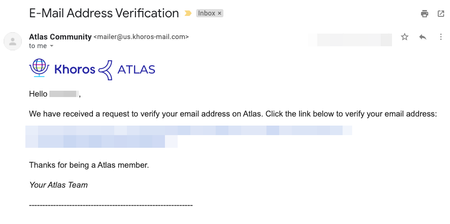
If you haven't already registered for Atlas, the Khoros community, this tutorial will show you how. All you need is a username, password, and a valid company email address. After you register, you can post to the community, receive email notifications, and lots more. It's quick and it's free! Option 1. Marketing Customers Registration Click on Register at the top right of the community, then the Khoros One SSO option. Learn more about logging in via SSO here. Option 2. Manual Registration Registering for Atlas Verifying your email Requesting Customer Access (if applicable) Requesting Case Portal Access (if applicable) 1.) Visit community.khoros.com. 2.) Click Register at the top-right corner. 3.) Click Register Now. 4.) Fill out the form and read and accept the Terms of Service. 5.) After you register, you must verify your email. Check your inbox and look for an email from the Atlas Community ([email protected]) and click the link to verify your email. If you don’t see the email after a few minutes, check your spam and promotional folders. If you still don't see the email, please contact us at [email protected]. 6.) If you are NOT a Khoros customer or partner, your registration is now complete. Welcome to Atlas! 7.) Customers and partners, once you have registered, please email [email protected] to request elevated access to Atlas. Without customer/partner access, you’re missing out on exclusive forums, customer ideas, the knowledge base articles, and much more! So don't hesitate to reach out, we'll get you sorted. 8.) If you also need access to Khoros Support Case Portal, please sign up here. Further instructions on signing up for Khoros Support here. SSO is used in the Atlas community and will not work in the Khoros Support Case Portal. You will need to make an account. Once you’re registered, visit the About Our Community area for more resources. Do you have any questions? Email us at [email protected]!29KViewsSign in to react to this post0CommentsGuide to Atlas Ranks
Welcome to Atlas, your home for learning how to build the best customer experience possible. As a member of our community, you’ll be able to join discussions, ask questions, search for answers, and learn from resources - all of which will help you maximize your knowledge of the Khoros platform While you use the site, you may receive notifications about your Atlas rank increasing. This page describes what ranks are, how they tie into your community contributions, and where to view your rank progress. What are ranks? How do I increase my rank? How can I view my rank and badge progress? Frequently Asked Questions Bonus: How do I implement ranks in my own community? What are Atlas ranks? Your Atlas rank helps you understand how helpful your community contributions are relative to others Each rank on Atlas appears next to a user’s name and signifies their contributions to the community You can view these on a user’s profile page (including your own), as well as next to their name in any of their community contributions - like posts, replies, blogs, and so on Passive Ranks These ranks are available to members who participate passively via giving kudos or adding tags to content Member New members who have not yet made any contributions Visitor Users who have engaged at least once with posts via kudos or adding tags Watcher Users who have engaged a few times with posts via kudos or adding tags Observer Users who have engaged several times with posts via kudos or adding tags Learner Users who have engaged many times with posts via kudos or adding tags Surveyor Users who have engaged a whole lot with posts via kudos or adding tags Active Ranks These ranks are reserved for users who have posted helpful contributions, organized from least to greatest Beginner Tier Users who have created a post or reply at least once on Atlas Ranks: Contributor Strategist Tier Fairly knowledgeable and helpful, they have made many community contributions Ranks: Helper > Adept > Guide > Ace > Mentor > Expert (highest) Consultant Tier Known names on Atlas, they have a long history of helping out different users Ranks: Advisor > Maven > Leader > Genius (highest) Luminary Tier The most well-known and long-standing members, with numerous invaluable community contributions - other members aspire to be more like them Ranks: Director > Champion > Executive > Boss (highest) How do I increase my rank? Simply put, your rank increases as you help others. This can be achieved in two ways: 1) You contribute helpful content to the platform - for example: If you have a question for the…8KViewsSign in to react to this post0CommentsAtlas Single Sign-On (SSO) & Registration for Marketing Customers
Marketing customers previously had to email Support or CommunityHelp to gain access to gated content in Atlas if they were using a Marketing Product. On March 17, 2020, we implemented single sign-on (SSO) so these requirements are no longer necessary. If you’re a marketing customer and would like to know more about how SSO will affect your access to Atlas, please read the FAQ below. How can Marketing customers register for Atlas? How can Marketing customers log in to Atlas? How should I log in or register if I use Khoros Marketing and another Khoros product? What if a Marketing customer clicks a link within the Marketing product? What if the Marketing customer uses a different email for Marketing and Atlas? What if the Marketing customer has multiple logins for different Marketing environments? What is SSO? What about Care and Community customers? Still having trouble? How can Marketing customers register for Atlas? The Marketing Customers button will allow Khoros Marketing users (formally Spredfast) to sign or register into Atlas via Signal Sign On (SSO). If you use Khoros Marketing and another Khoros product, we recommend you sign in using Marketing SSO. How can Marketing customers log in to Atlas? Marketing customers will be given the opportunity to log in to Atlas using their Khoros Marketing credentials. If the user has already registered for Atlas, Khoros will utilize SSO, to automatically log them into the page they were trying to get to. How should I log in or register if I use Khoros Marketing and another Khoros product? If you use Khoros Marketing and another Khoros product, we recommend you sign in using Marketing SSO. What if a Marketing customer clicks a link within the Marketing product? If a Marketing customer follows a link to documentation from within a Marketing product, this will trigger the flows above. What if the Marketing customer uses a different email for Marketing and Atlas? They will need to update their Atlas email to match the email they use for the Marketing platform. They can change their email address in their email settings page. If the user doesn’t change their email, they will have duplicate accounts. What if the Marketing customer has multiple logins for different Marketing environments? They can either set up multiple Atlas profiles or choose to log in with one natively through Atlas. What is SSO? Single sign-on is an authentication scheme that allows a user to log in with a single ID and password to any of several related, yet independent, software systems. What about Care and Community customers? We are investigating ways to provide SSO to all of our customers, but for now, Care and Community customers will still need to request customer access by emailing [email protected]. For more details, visi…113KViewsSign in to react to this post2CommentsHow To Change Your Atlas Avatar
How to choose your new Atlas avatar Sign in to your Atlas account at the right side of the top navigation bar. Click on the avatar image in the top right corner. From the drop-down menu, select “My Settings”. Click on the pencil icon on your profile photo. On the Edit Avatar screen, select from a new collection of preset avatars or upload your own profile photo.5.6KViewsSign in to react to this post1Comment




You’ve seen all recent content