Recent Activity
An Introduction to Aurora Technologies
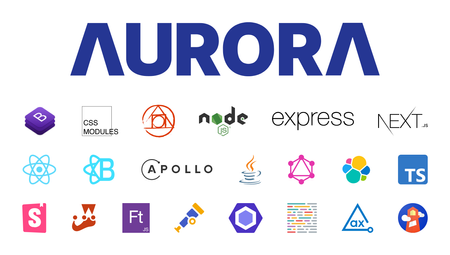
6 MIN READIntro Aurora is a game-changing update to the industry-leading Khoros Community platform, with powerful new tools to design and manage your community, create more engaging member experiences, and integrate community more fully into your digital ecosystem. In this article we’ll introduce you to the technology stack we used to create our next-generation Community application. Many of these technologies will be exposed as part of our new Software Development Kit (SDK) that will be used to customize the Community Application. This latest iteration is a complete reimagining of our UI technology stack, with some notable backend changes. Engineering Goals When we kicked off the Aurora project, we set some lofty engineering goals for ourselves. While many of these goals are consistent with our existing Community product, we wanted to double-down and ensure that from day one we adhered to these goals. High performance: Server-side rendered (SSR); only include JS and CSS that are used by the components on the page; measure web vitals and set aggressive thresholds for Largest Contentful Paint (LCP), First Input Delay (FID), Cumulative Layout Shift (CLS), and other common metrics like Time To First Byte (TTFB). Best-in-class Search Engine Optimization (SEO): Semantic web and well structured markup; proper JSON-LD and microdata to enable Rich Snippet results in Search Engine Result Pages (SERP); reimagined and configurable URL patterns - no more "t5" by default. Accessibility: Web Content Accessibility Guidelines (WCAG) at a target level between AA and AAA; automation and testing to ensure all new UI meet these standards. Built-in mobile support; We're not quite a "mobile-first" development shop, but mobile is a priority and will work seamlessly with all new out-of-the-box (OOTB) interactions. API driven: All UI for Community will be backed by public APIs, no more internal APIs that can only be used by Khoros. Delightful to work with: Fast, inspect-and-adapt loop for internal and external developers. Heavily extensible: Enable external developers, via our SDK, to use the same tools we use internally to build integrations and extensions to the core product. Developer Tools and best practices enable customers to create integrations that are upgrade safe, avoid conflicts, and provide simple ways to preview and test changes. Modern frameworks and libraries: Leverage best-in-class and open source frameworks to simplify development and modernize our user experience. Technology Stack This overview into the Technology Stack used by Aurora is broken down into logical layers consisting of Styles, Web, UI Server, Backend, and a brief mention of some ancillary Tools used to build Aurora. Styling Starting at the figurative top level, the technologies we use for Styling act as the front door for our end-users. Think of it as the brioche bun on our UI tech-stack-hamburger. Bootstrap “The world’s … 3KViewsSign in to react to this post
 2Comments
What is Going On with Dev Docs in 2023?
3 MIN READOur Khoros Developer Documentation Portal has undergone some big changes in 2022. We started the year with a new navigation experience, code recipes, use cases, and an expanded Brand Messenger SDK. Much of our focus in 2022 was on creating exciting new products and services that will see tremendous growth in 2023. Part of this focus was on behind-the-scenes work overhauling how we produce and manage developer documentation with next-generation technologies in mind. As the list of supported programming languages, libraries, and tools grows, our methods of delivering clear documentation are also evolving. Our Team I couldn't start this post without acknowledging the tremendous work Javid Hussain (@JavidH) put in. Javid has worked hand-in-hand with the engineering teams, creating detailed documentation for our latest features. He has been an integral part of our team. In his first full year here, he significantly impacted the quality and consistency of our documentation for Khoros Communities, Flow, Care, and Marketing products. A lot of the accomplishments of the dev docs team this year would not have been possible without Javid. Thank you. Community The most exciting thing we've been working on is the developer experience around our upcoming new Khoros Community experience. Because Khoros Community Aurora introduces so many new technologies to our platform, we've been working hard to build out new documentation and ways to share information to help our developer community hit the ground running as new features are released. GraphQL, for example, allows us to explore a different approach to documenting our API. This includes an interactive query explorer that enables you to build and test query requests directly from the Dev Docs Portal against a live demo instance of Aurora. We are also working hand-in-hand with our product teams to bring more developer-oriented features and content into our user interface, enabling you to spend less development time setting up your Community and more time building exciting custom experiences for your users. Brand Messenger Brand Messenger has grown by leaps and bounds over the past year, and it is expected to do even more going into 2023. New features and capabilities are being introduced at an accelerated pace, and because of this, we gave it its own dedicated Dev Docs Portal. The world-class Web and Mobile SDKs made possible by our incredible engineering teams at Khoros connect users to brands in more ways than ever before. As we continue adding new features to Brand Messenger, our documentation will include a library of use cases, recipes, and solutions for virtually any situation. Developer Blog Another area we want to focus on more in 2023 is this Developer Blog. We've had a lot of positive responses to our "How We Built It" series, centered mainly around how different features of Atlas were created. Here are some of the blog posts we create…532ViewsSign in to react to this post0CommentsHow We Built It: Since you were gone component
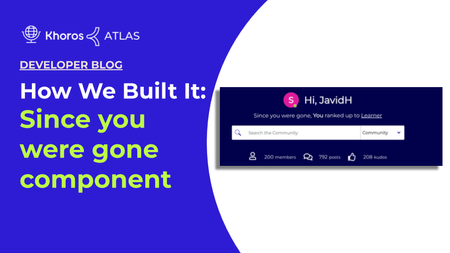
5 MIN READOverview This article explains how to build a custom component and attach it to the community hero element on your community home page. You can add this custom component to any element based on your preference. This custom component fetches recent notifications when the user is not signed in to the community. These recent notifications are rendered on your community home page based on whether the user is anonymous or registered. The purpose of this component is to notify visitors about recent activities performed on the user account for registered users and for anonymous users, a custom text based on your preference will be displayed. Building the Since you were gone component is done in three steps: Creating a custom component walkthrough Assigning the custom elements with custom text Adding the custom component to your community homepage Here is an image of the Since you were gone component in Atlas Community: Creating a custom component walkthrough Create a new custom component in Studio named since_you_were_gone (Studio > Component > New component). To add the below custom component code snippet, you must have community admin permission. <#if user.anonymous> <div class="hero-desc hero-desc-space-style"> <span>${text.format("custom.hero-desc.anonymous")}</span> <a href='${webUi.getUserRegistrationPageUrl("/")}'>${text.format("custom.hero-desc.anonymous.joinus")}</a> </div> <#else> <#assign notifications = rest("/users/self/notifications/unread/count").value?number/> <#assign notificationfeedCount = liql("SELECT count(*) FROM notification_feeds" )/> <#assign num=notificationfeedCount.data.count?number/> <#if (num> 0) && (notifications>0) > <div class="hero-desc hero-desc-space-style"> <div class="since">${text.format("custom.hero-desc.loggedin")}</div> <#attempt> <@component id="notificationfeed.notificationList" lazyLoad="true" /> <#recover> </#attempt> </div> <#else> <div class="hero-desc hero-desc-space-style"> <div class="hero-desc hero-desc-space-style">${text.format("custom.hero-desc.no.recent.notification")}</div> </div> </#if> </#if> We are going to break down the code into six sections. Section 1 (Line 1-6) <#if user.anonymous> <div class="hero-desc hero-desc-space-style"> <span>${text.format("custom.hero-desc.anonymous")}</span> <a href='${webUi.getUserRegistrationPageUrl("/")}'>${text.format("custom.hero-desc.anonymous.joinus")}</a> </div> <#else> If user.anonymous is true, then proceed. The remainder of the component code is contained in this if statement. If user.anonymous is not true, the…1.9KViewsSign in to react to this post7CommentsHow We Built It: User Profile Hover Card
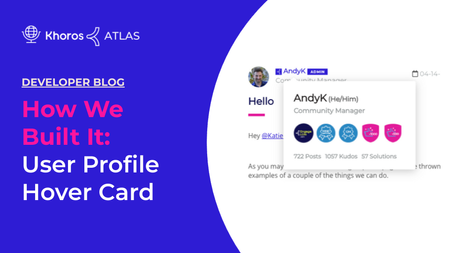
6 MIN READOverview User Profile Hover Card is used to display user information such as pronouns, roles, number of posts, kudos, and solutions. With the User Profile Hover Card, you see user information while viewing any article in your community by hovering your mouse cursor over either their avatar or the user name. Note: The User Profile Hover Card will not be displayed in the user profile. A JavaScript function will be attached to certain elements on the page that makes an AJAX call to the server when the mousenter event is triggered. This AJAX call request will return all the information necessary to display a hovercard with the user profile information. You can create a Profile Hover Card using these three steps covered in this guide. Building an endpoint Creating a custom javascript function Adding a javascript function to a quilt to display the user information Here is an image of the User Profile Hover Card in Atlas Community: Building the endpoint Create a new endpoint in Studio named profile-card (Studio > Endpoints > New Endpoint). Here is the overall structure of our code. After some initialization code and setting up some variables, we have two main steps outlined in the comments. <#compress> <#-- Set up number format and import some functions you will use later on --> <#setting number_format="0.######"/> <#include "theme-lib.common-functions" /> <#-- The user whose profile information we would like to display --> <#assign userId = getRequestField("userId", "-1", true)?number /> <#assign unqId = getRequestField("unqId", "")?string /> <#assign badgeSize = 5 /> <#if userId gt 0 && validEndpointRequest(false, true,false)> <#-- Step 1. Make REST call for the data required for the component --> <#-- . . . see below code snippet . . . --> <#-- Step 2. Render the actual card markup --> <#-- . . . see below code snippet . . . --> </#if> </#compress> Step 1 To fetch the user’s profile information, we just need to write a LiQL request and make the request assigned to a variable. <#assign userQry = "SELECT login, view_href, rank.name, rank.color, user_badges FROM users WHERE id='${userId}'" /> <#assign userProfileData = executeLiQLQuery(userQry) /> Step 2 In step 2, we will use the data we just fetched to create some variables and return the markup required for the hovercard. <#if userProfileData?size gt 0> <#assign userProfileData = userProfileData[0] /> <div> <section> <span><span id="cardTitle-${unqId}"><a href="${userProfileData.view_href}">${(userProfileData.login)!""}</a></span> <span id="…739ViewsSign in to react to this post0CommentsHow We Built It: Pronouns in User Profiles
6 MIN READA while back, Atlas added the ability for users to add personal pronouns to their user profile. You can read about this enhancement in Atlas Proudly Adds Pronouns Option to Profile. Today, we take a technical dive into how we added a Pronouns field on the Atlas user profile and registration page using a custom field setting and a custom component. Note: Customizations in your community might conflict with the implementation that we describe in this article. For example, if your community has removed the "Personal Information" tab in My Settings > Personal, you will not be able to add the pronouns to the Personal Information tab exactly as described here. Pronoun field on the User Registration page Pronoun field in the Personal Information tab Customization overview Create your Support ticket Create a redirect component Update attribute mappings in Community Admin (SSO-only) Use pronouns in customizations Pronoun field on the User Registration page Here is how the Pronoun field appears on the User Registration page. Pronoun field in the Personal Information tab Here is how the Pronoun field appears on the Personal Information tab under My Settings > Personal. We created a custom component to add an Update who can see your private info link under the field that redirects the user to the My Settings > Preferences > Privacy page to modify their pronoun privacy preference. We show the code for this link in Create a redirect component. Note: If your community had the Personal Information section removed from My Settings > Personal, you will need to consider asking Support to restore the Personal Information tab with just the Pronoun field or implement some other method for users to edit their personal pronouns through the community user interface. Customization overview Let's take a quick look at the customization as it was implemented on Atlas. You'll need Khoros Support to perform some back-end tasks and you'll also need to build a simple custom component. Important: Our implementation uses a non-SSO registration flow. If you're interested in trying this customization in an SSO community, be sure to read the next section for caveats and considerations. Developer/Community Manager tasks: Create a custom component that creates a redirect link to the user's Privacy Settings page so that they can control who can see their personal pronouns. File a Support ticket requesting back-end configurations Khoros Support tasks: Create a custom field setting where users can enter and modify their personal pronouns. Add the new field to the required page forms. Once the custom field is in place, you'll be able to access it via the Community REST API in FreeMarker customizations. NOTE TO KHOROS SUPPORT STAFF: See Add a custom pronoun field setting to the user profile for instructions relating to these enablement and configuration tasks. SSO …583ViewsSign in to react to this post0CommentsA Python Library for Khoros Community
5 MIN READPhoto by Hitesh Choudhary on Unsplash One of my favorite things about working at Khoros and writing about our products is that I get to witness the Khoros mission play out in real-life situations. This happens often in chat experiences I know are powered by Modern Chat and the Khoros Automation Framework, and I also see it in brand outreach via social media. But one of the most rewarding examples is when I see something exemplifying the power of Community – connecting, helping, and sharing with the intention of making life easier. Community is more than a product. It's a mindset. Today we're highlighting a contribution by a developer who embodies the Community spirit. He built an open-source Python SDK for Khoros Community and we want to share it with other Community customers. Other developers working with Khoros Community have already contributed to his project. I got a chance to chat with this developer over Zoom to learn more about his Khoros journey and the Python library. Note: The Python library discussed in this article is not part of Khoros's official Community platform, has not been tested by Khoros, and is not supported by Khoros. Q&A What does the Python library provide? I've tried to keep the library flexible to support different work patterns. I built it to be as generic or detailed as a user needs it to be. For example, you could use the khoros.messages.create function to create a message or simply use khoros.get if you just want a shortcut for a GET request. At a high level, the project package is comprised of Primary modules, including the Core object and module and Supporting modules. The Core object/module object is your hub. You'll Instantiate the Core object by passing Khoros credentials. The Core module is a collection of core functions and tools to work with the Khoros Community APIs. Other Primary modules: handle interactions with the Community REST APIs facilitate authenticating to Khoros Community environments enable API queries using the LiQL syntax provide functions to work with various Community API objects and structures (e.g. community, categories, nodes, and tenants) facilitate working with SAML assertions retrieve Community Plugin SDK details (SDK and dependency versions, installation state) The library's Supporting modules: contain classes supporting error and exceptions handling provide tools and utilities like dictionary conversion, timestamp formatting, and environment variable retrieval/update help with their Community Plugin SDK set up and publishing support helper file import and parsing to facilitate ease of use and configuration setting for the package perform unit testing What are some of the more popular modules? Probably the Objects module. The functions to create and update users and roles are heavily used. Publishing messages on behalf of other users also gets a lot of use. Other functions simplify cumbersome processes like cre…655ViewsSign in to react to this post0CommentsHow We Built It: Platform Status Banner
3 MIN READWhile we prefer the Khoros platform to be operational at all times, there are times when our product experiences a service disruption. When this happens, it is critical that we inform our customers. We do this by presenting a platform status banner in our Atlas Community. Here is an image example of the Khoros Platform Status Banner: We had some interest here to explain how we achieved this functionality. Let's get into the details! Since your systems will vary from ours, we have made the integration explanation more generic so that you can more easily adapt it to your needs. On its surface, this is a pretty simple feature. It is a custom component that conditionally shows markup based on a JSON response. That is what we will walk you through. Data Source Each product that we want to monitor has a data source that provides the operational status. For the Atlas status banner, Community, Care, Marketing, Flow, and CX Insights are all data sources. First, we need to connect to those data sources via an API. Like many SAAS companies, we use both internal and external monitoring services. You'll need to identify what monitoring services your company uses and find the API that returns the statuses you need. A sample response from a monitoring service could look like the following: [ { id: "SERVICE_ID" name: "SERVICE_NAME", platform: "PLATFORM_NAME" status: "operational", }, { id: "SERVICE_ID" name: "SERVICE_NAME", platform: "PLATFORM_NAME" status: "degraded_performance", }, { id: "SERVICE_ID" name: "SERVICE_NAME", platform: "PLATFORM_NAME" status: "major_outage", }, ... ] Now we need to interpret the above response and render our banner to your community page. Custom Component To display the operation status retrieved from the monitoring service, create a custom component in Community > Studio that displays the platform status banner with markup and Javascript (using the LiaAddScript FreeMarker directive). Markup In your new custom component, set up the markup you want to display in your community. Note that we have set display:none upon initial render. This hides the component until JavaScript logic (described later) determines if any products have a degraded service status to report. <div class="my-fancy-status-component-container" id="StatusComponent" style="display: none;"> <span class="status_container"> <span class="status-name">PLATFORM</span> <span class="status-separator">:</span> <span class="PLATFORM-indicator"></span> </span> <!-- ... repeat for other platforms --> </div> LiaAddScript In a <@liaAddScript>, make a request to fetch your data and modify your markup. <@liaAddScript> ;(function($) { $.ajax(…653ViewsSign in to react to this post1Comment2022 Kicks Off With Big Updates to Dev Docs
4 MIN READ2021 was an incredible year for the Khoros developer community. We incorporated new products and companies into our developer experience, refined navigation throughout our Developer Docs Portal (DDP). We introduced new features to help visualize use cases and demonstrate best practices. 2022 is set to be even better, with a ton of new features and improvements set to roll out early in the year. A refresh of our documentation's visual design, API reference tools, and an abundance of new content are just some of the ways 2022 is set to be the best year yet for our developer community. Our Growing Team Our Developer Documentation team grew in 2021 with the addition of JavidH. Javid's years of experience and fresh insight have proven invaluable to our Khoros family. He's been working primarily with the Khoros Community and Khoros Flow Developer Docs Portals. Recipes One of the newest features of our DDP platform, powered by Readme.io, is Recipes. With Recipes, we can explore and break down complex API requests and code examples to give context to each individual object, field, variable, etc. Our team has plans to roll out recipes throughout 2022, covering a wide range of use cases, including individualized API request examples that demonstrate the power of our Khoros APIs. You can find some examples of our existing Recipes below: Create a Monitoring Bot (Care) Pass Conversation Control to Agent from Bot (Care) Create a Group Hub with an Avatar (Community) Navigation and UX improvements We took significant steps in 2021 to improve the navigation of our DDP. These include updating our home and category pages to simplify and shorten the navigation flow between the home page and your target content. In 2022, we are taking what we've learned from the initial rollout and applying it to a design overhaul, modernizing the look and feel of our documentation. The UX changes were based on customer feedback with internal and external developer documentation users. Thank you to the customers and internal Khoros teams that we interviewed during our research phase. And a huge thank you to our designer JhilikR and front-end developers ShikherM and AbhishekGu ! Streamlined landing page Up-leveled page feedback tools Persistent header and improved signposting Streamlined landing page Use one less click to get to the product documentation you're looking for. The streamlined hover menu removes the need for a stop at landing pages for each documentation set. Up-leveled Page Feedback Tools Many of you have used the Suggest Edit feature in the DDP Guide pages, but less have used our page feedback component – Did this page help you? widget where you can give a thumbs up or thumbs down vote and add comments so that we understand your rating. We've moved the page feedback widget to the top of the page so that it is move visible. Please give us your ratings an…1.1KViewsSign in to react to this post8CommentsAtlas Developer Network Updates
2 MIN READPhoto by Paul Skorupskas on Unsplash The Atlas team is announcing updates to the Atlas community navigation. But what does that mean to the users visiting the Developer Network and users who are trying to access the Dev Docs from Atlas? New Atlas Menu The main Atlas navigation menu has a whole new look and feel that enables easier browsing and discovery with fewer clicks. When you look t the main Atlas menu, you'll see that we've renamed the Dev Network category to "Developers" and that we've consolidated the separate menu items for developer documentation into a single Developer Documentation item that redirects to developer.khoros.com. Developer Category Page When you click on the Developer option in the main Atlas navigation, you'll see an updated Developer category page. Here, we also consolidated the product card options into one card so that there is a single click to get to developer.khoros.com. We also added components to display Latest Dev Blog posts Latest solutions in the Developer Discussion forum Latest topics in the Developer Discussion forum Developer category kudos leaderboard We're working on minor adjustments to move this content 'above the fold' when you come to the Developer category page. Finally, we up-leveled a component to the right side rail to display a shortcut to developer.khoros.com from the Learning category page for each product solution (e.g., Atlas > Communities > Learning and Atlas > Care > Learning). What's next? Look for an updated landing page on developer.khoros.com in the December/January timeframe. We're simplifying the navigation to get you where you want to go in fewer steps, as well as making some look and feel improvements for better readability and moving our page quality feedback widget to a more discoverable position. (I'll give a quick shout-out to Readme.io our Dev Doc Portal hosting platform while I've got your attention. They have been a great partner to our small Dev Doc team by providing a flexible back-end system that enables us to focus on content. Thanks, ReadMe!)396ViewsSign in to react to this post0CommentsTwo Community Virtual Developer Training Sessions are Open for Enrollment
1 MIN READThe December, 2021 and February, 2022 Community Virtual Developer Training sessions are open for enrollment to all qualified developers. The training event page offers more details on the training format, topics covered, prerequisites, and fees.382ViewsSign in to react to this post0CommentsA Chatbot for the Dev Doc Portal
2 MIN READIf you came to the Developer Documentation Portal lately, you might have noticed a chatbot icon in the lower right corner of the page. We shared in a previous Dev Blog post how TravisB and others built Maia, Khoros's virtual assistant, using Khoros Flow, Modern Chat, and the Khoros Automation Framework API. Up to now, users have engaged with Maia on Atlas and Khoros.com. Now, Maia also graces the pages of developer.khoros.com. Why Maia? First of all, we like to use the Dev Doc Portal to highlight Khoros products and features whenever we can. And Maia is cool -- it is a single chatbot that handles multiple chat flows across multiple websites using Khoros technology. But really, we added Maia to create a better user experience. Here's what Maia can do for you on developer.khoros.com: Register on Atlas File a Support ticket Go to Atlas resources like Product Coaching, Knowledge Bases, and Product Idea boards Connect with a chat agent to help find a resource or get other help with Atlas Connect with a sales agent Schedule a demo Learn about Khoros solutions Find the latest content from Khoros including release notes, product & Khoros insights blogs, podcasts & webinars Learn about our Khoros Titans user group program Get started with Maia To get started with Maia, just open the chatbot and enter "hi". From there, just follow Maia's prompts. Check out this post for Maia tips and tricks. Gratitude I want to give a special shout-out to PradeepK for helping us get Maia on the Dev Doc Portal as one of his first projects here at Khoros and to TravisB or working out the right flows for our Developer customers. Couldn't have done this without you two! Final Thoughts Let us know what you think about the new addition to developer.khoros.com in the comments section below. We hope Maia makes your life a little bit easier.449ViewsSign in to react to this post0CommentsCan Technical Writers Exist in an Agile Dev Team?
4 MIN READTechnical writers are an important part of any software development team working on projects or products with customer-facing components. Whether you're creating a simple UI-based tool for customers without any technical experience or an API with complex parameters that pose a challenge to even the most experienced developers, a technical writer bridges the information gap between your development team and the end-user. So, how do you integrate a technical writer into your agile development environment? What role(s) does a technical writer perform within your organization's development team? In this post, we will cover some tips for doing just that! Scrum and Planning Meetings Technical writers are often considered outsiders within an engineering environment. They are typically outnumbered by engineers and frequently work with multiple engineering groups at the same time. This makes it easy to see them as an outside entity rather than a member of the scrum team. However, this perception doesn't take into account the many hats a technical writer wears. A technical writer is like an embedded reporter, writing stories about the projects the scrum team(s) are working on. Those stories benefit from having detailed knowledge of not only what the project is about, but what decisions went into its creation. Knowing why it made more sense to create a feature with one set of parameters over another helps the writer to explain the benefits (and potential snags) to the audience. Consider including technical writers in scrum meetings, as well as in planning sessions where new projects are conceptualized. This will not only provide much-needed context to the writer but save your team time explaining these details later on. Location One common mistake organizations make in their office layouts is to group technical writers in with marketing, design, etc., and sit them with those teams, away from the engineering department. In an in-person working environment, you should consider sitting your technical writers with the engineers. Separating them physically prevents the writers from hearing and absorbing the day-to-day discussions that happen, often resulting in missed opportunities for documenting changes as they occur. Development Environments It's important for technical writers to have access to the same level of development/testing environment as the engineering teams. Even if it's a local deployment of a nightly build, being able to explore and see the code in advance of the documentation being required gives writers a head start on their work. The amount of time the writer has to use and document the upcoming release, the better the documentation. This also allows technical writers to fill another important role that they often do: testing. In order to document a new feature, writers test their documented steps. This enables them to not only discover bugs in their documentation but often to uncover bugs in …589ViewsSign in to react to this post0Comments